Self-hosted network monitoring

Know your network.
Down to the last megabit.

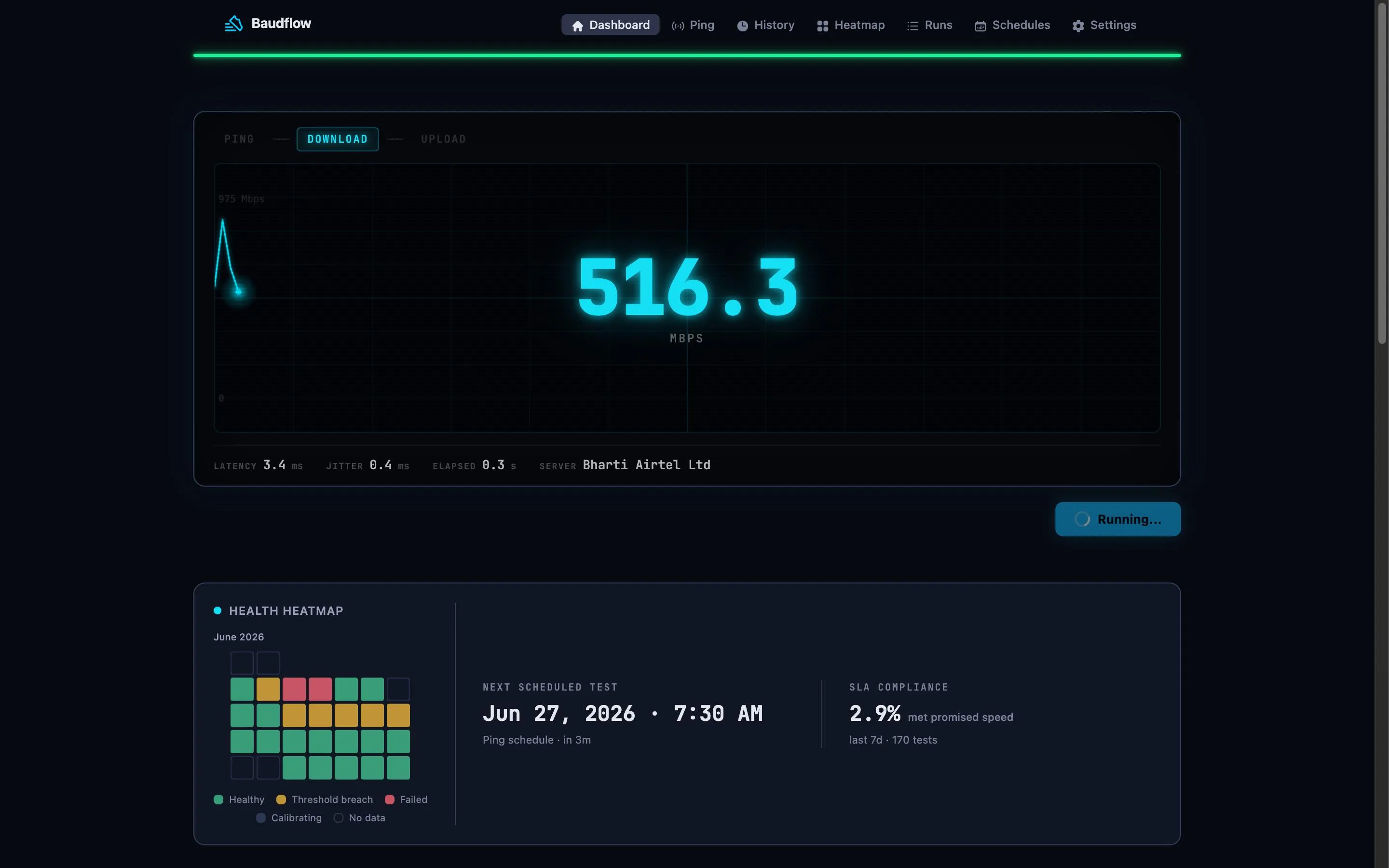
Baudflow runs automated Ookla speed tests on a schedule, streams progress live, and turns raw results into a real-time dashboard of your connection's health.

PING ✓DOWNLOAD ◉UPLOAD
247.3
Mbps · DOWNLOAD
PING 14.2 msJITTER 1.8 msLOSS 0.0%SERVER Ookla · Stockholm
Power-user dashboard

Everything a flaky connection can throw at you

Live visualization, run history, per-result drill-downs, and health tracking — all on one screen.

localhost:4000 · baudflow dashboard
DOWNLOAD
247.3
UPLOAD
42.1
PING
14.2
HEALTHY · within thresholds

Live CRT oscilloscope

Speedtest output streamed line-by-line via Erlang ports — watch the waveform build in real time.

Cron + manual runs

Schedule tests on a cron or trigger one instantly. Full run history with success/failure status.

Health & degradation

Configurable thresholds flag degradation; alerts fire through your notification channels.

Per-result drill-down

Ping, jitter, packet loss, server, ISP info — every measurement, fully inspectable.

Oban background jobs

Run, schedule, cleanup, and notify workers stay decoupled and observable.

Health endpoint

A lightweight /health for uptime monitors, plus a Prometheus /metrics endpoint.

Up in under a minute

Quick start

Bring Postgres and the Ookla CLI, or just run the container.

$ docker run -d
-p 4000:4000
-e DATABASE_URL=ecto://user:pass@db/baudflow
-e SECRET_KEY_BASE=change-me
ghcr.io/v1nvn/baudflow:0.6.0
→ pulling image ✓
→ running migrations ✓
▲ listening on http://localhost:4000
$
$ git clone https://github.com/v1nvn/baudflow && cd baudflow
$ mix setup
→ installing deps ✓
→ creating database, running migrations ✓
$ mix phx.server
▲ listening on http://localhost:4000
$

Need more detail? Read the getting started guide.